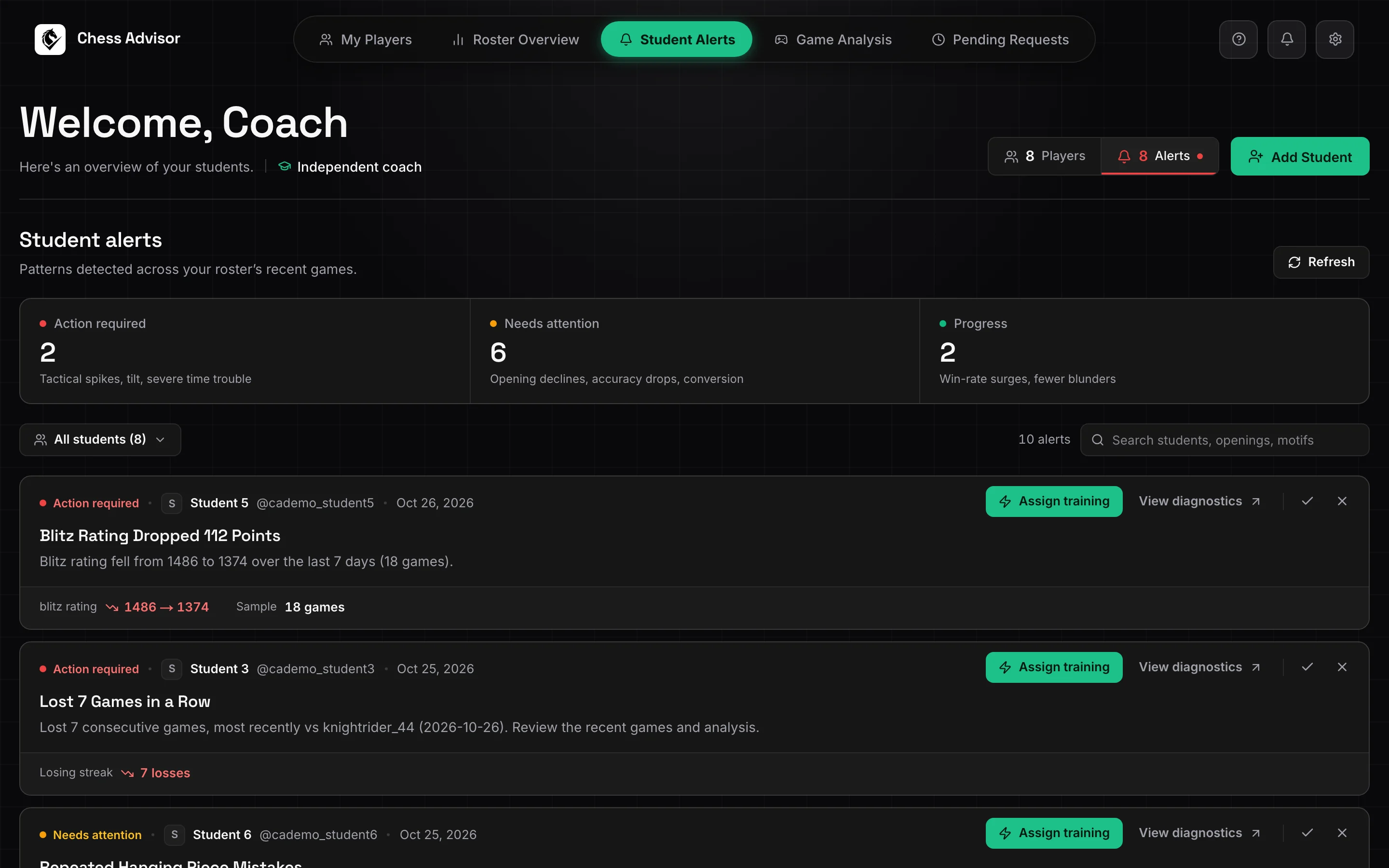
Chess Advisor reads every game your students play on Chess.com and Lichess and flags the ones who are slipping, measured against each student's own normal. Every alert arrives with the games behind it and a suggested task you can send in one step.
The alert arrives with the games and numbers behind it.
In progress
You assign the task. Title, volume and note are pre-filled for the alert type.
Resolved
Close it once they're back on track, or dismiss it if it doesn't matter.
How it decides who to flag
Against their own normal
A 1400 and a 2000 player are each judged by their own baseline, so a bad week stands out for both.
Enough games first
Each check needs a minimum number of games, so one unlucky evening doesn't flood your list.
No repeats
The same streak never alerts twice, and other alerts wait 7 days before they can fire again.
Checked every night
The student and every linked coach are notified, and you get a roster digest by email each Monday.
Every student on one screen
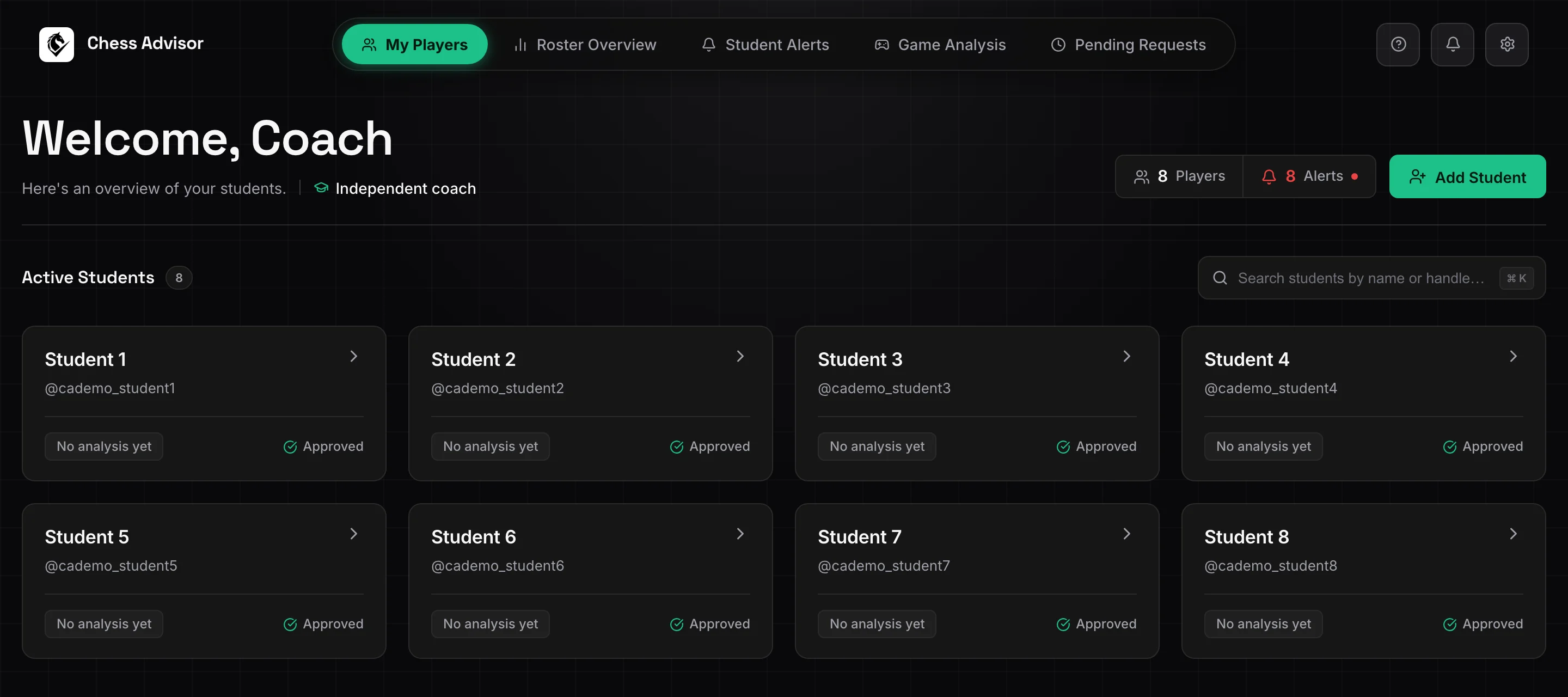
Your whole roster at a glance. Sort it by what you care about this week and open anyone for the detail.
Sort by
Accuracy · Momentum · Win rate · Blunders a game · Time pressure · Rating per time control
Each student has a full profile: overview, performance, openings, mistakes and patterns, training plan, puzzle progress, games and rating history.
A roster digest arrives by email every Monday.
chessadvisor.in/dashboard
The night before a lesson
Two jobs that used to take an evening.
Analyse every student at once
Press “Analyze all” and each student's recent games go through Stockfish 18, one student after another. Games that were already analysed are reused, so a second run is quick.
Analysing all studentsDemo, made-up students
Ananya R.Done24/24 games · 9 reused
Kabir S.Done18/18 games · 6 reused
Meera P.Analysing11/27 games · 4 reused
Rohan D.Waiting
Tara M.Waiting
Write on the exact move
Open any game and leave a note on the move that matters. The student is notified and sees which notes they haven't read yet.
Demo game
1.e4e5
2.Nf3d6
3.Bc4Bg4
4.Nc3g6
5.Nxe5Bxd1??Blunder
Mate in 2 for White · Best was 5…dxe5
Your note
Taking the queen walks into mate. Check every check before you grab material.
Student notified
What your students practise between lessons
Their own blunders become their training, so they work on the mistakes that actually cost them games.
Puzzles from their own games
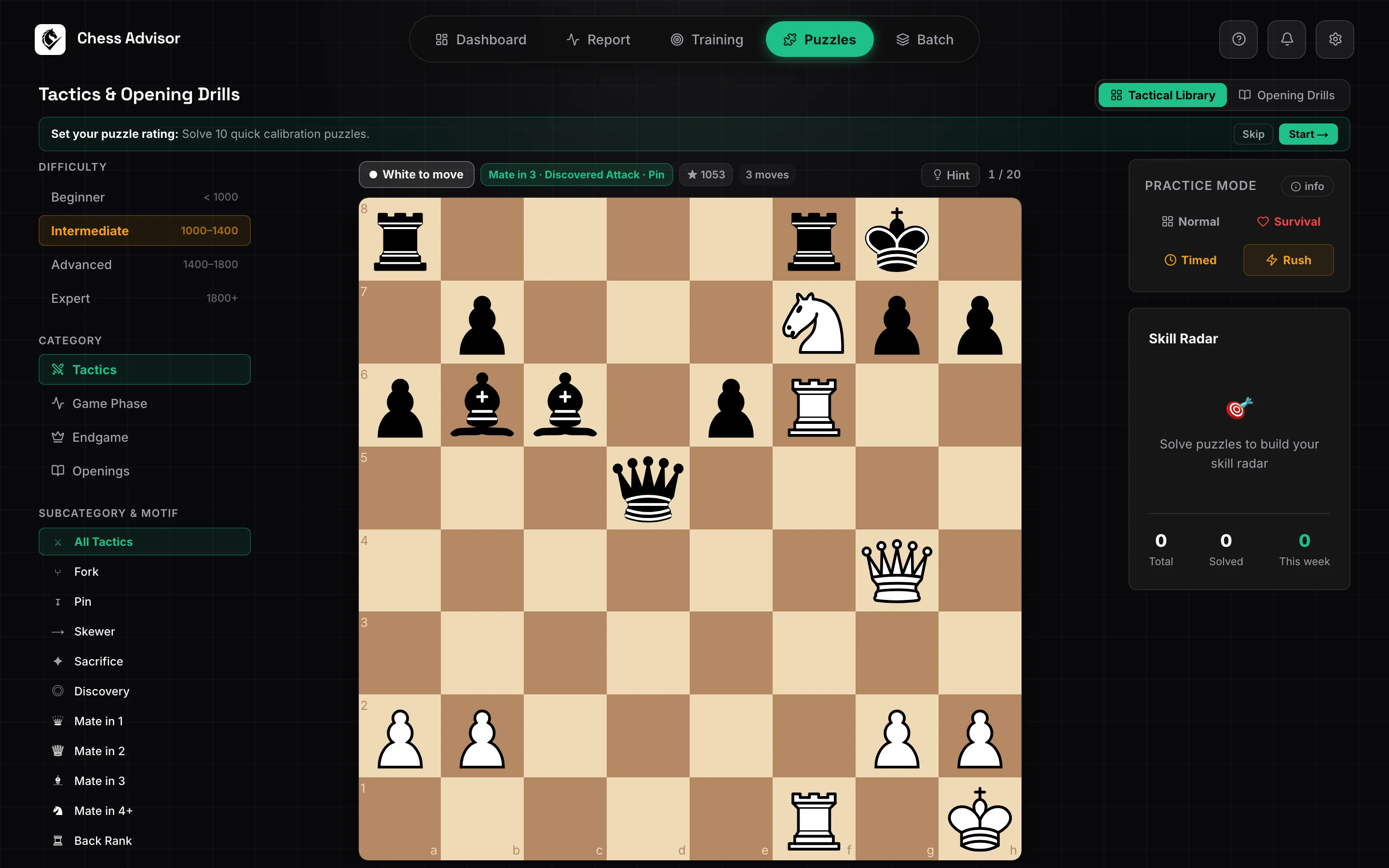
Every blunder, and every mistake that cost more than 1.5 pawns, becomes a puzzle from the position before the move.
Brought back until it sticks
A miss returns the next day. Each fast, correct solve pushes the next review further away.
A rating that means something
A 10-puzzle calibration sets the start, then a Glicko-2 rating updates after every attempt.
Modes that bring them back
Normal, Survival with three lives, timed sets, and Puzzle Rush with a leaderboard.
Opening Drill Studio
63 curated lines, tactical traps included, played against the engine at a chosen strength.
chessadvisor.in/puzzles
A typical review schedule
Day 0
+1 day
+6 days
+16 days
+45 days
Every move gets one of ten grades
Brilliant
Great
Best
Excellent
Good
Book
Forced
Inaccuracy
Mistake
Blunder
Bring your students in
Three ways, depending on the student.
Share your invite code
Students enter it when they sign up and wait under Pending requests until you approve them.
Best whenThe student will use Chess Advisor themselves.
Add by username
A name and a Chess.com or Lichess username. Their games are tracked before they ever log in.
Best whenYounger students, or anyone not ready for an account.
Add with an email invitation
They get a “Your coach invited you” email to set a password. Existing accounts are linked to your roster instead.
Best whenYou want them training on their own between lessons.
Each coach plan includes a set number of student seats, and students of a coach on a paid plan have their own analysis and puzzle limits lifted.
Questions coaches ask
Do my students have to use it themselves?
No. Add them by username and their games are tracked before they ever log in. If they do sign in, they get their own analysis, puzzles and your notes.
How does a student join me?
Share the invite code from your dashboard. A student enters it when signing up and you approve the request. You can also add a student directly with their Chess.com or Lichess username.
Which chess sites are supported?
Chess.com and Lichess. You can also paste or upload PGN files, which covers over-the-board games and other sources.
How often are alerts checked?
Every night. New alerts appear in your Student Alerts list and as notifications for you and the student, and you also get a weekly email digest every Monday.
Do I have to send the suggested task?
No. It is a starting point. Change the task, the number of exercises or the note, or dismiss the alert if it doesn't matter.
Is there a free way to try it?
Yes. Coaches can start on a free plan, and anyone can analyse their 10 most recent games from the free analysis page without creating an account.
Can an academy with several coaches use it?
Yes. Academy owners register the academy, coaches join with an academy code, and the owner sees every coach and student from one academy dashboard.
Get started with Chess Advisor
Start with your own roster
Add a few students tonight. Their games are analysed and alerts are checked every night from then on.